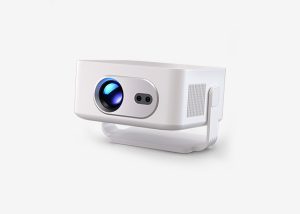
Screen Mirroring From iPhone or iPad:
1. Ensure both the projector and iOS phone are connected to the same network.
2. Open Control Center and click on Screen Mirroring.
3. Select the projector
4. Once connected, your phone's screen will be displayed on the projection surface.
Screen Mirroring From Mac
1. Make sure that your Mac and projector are on the same Wi-Fi network. Your phone's hotspot is also OK.
2. Click the AirPlay icon on the Mac and select your projector to start mirroring. The AirPlay icon in the menu bar will turn blue when AirPlay is active.
3. To stop mirroring, click the AirPlay icon again and then select Turn AirPlay Off.
Note: For MacBook Air, MacBook Pro, and iMac, the AirPlay icon will only be displayed in the menu bar when AirPlay mirroring is available.